100% Client-Side · No Image Uploads · Zero Privacy Risk

Free Online PSD & Photo Editor in Your Browser

Open PSD files, edit layers, remove backgrounds, and add text — then export your work without installing software or uploading a single file.

No signup · No installation · Files stay on your device  |  Supports PSD, PNG, JPG, WebP & more
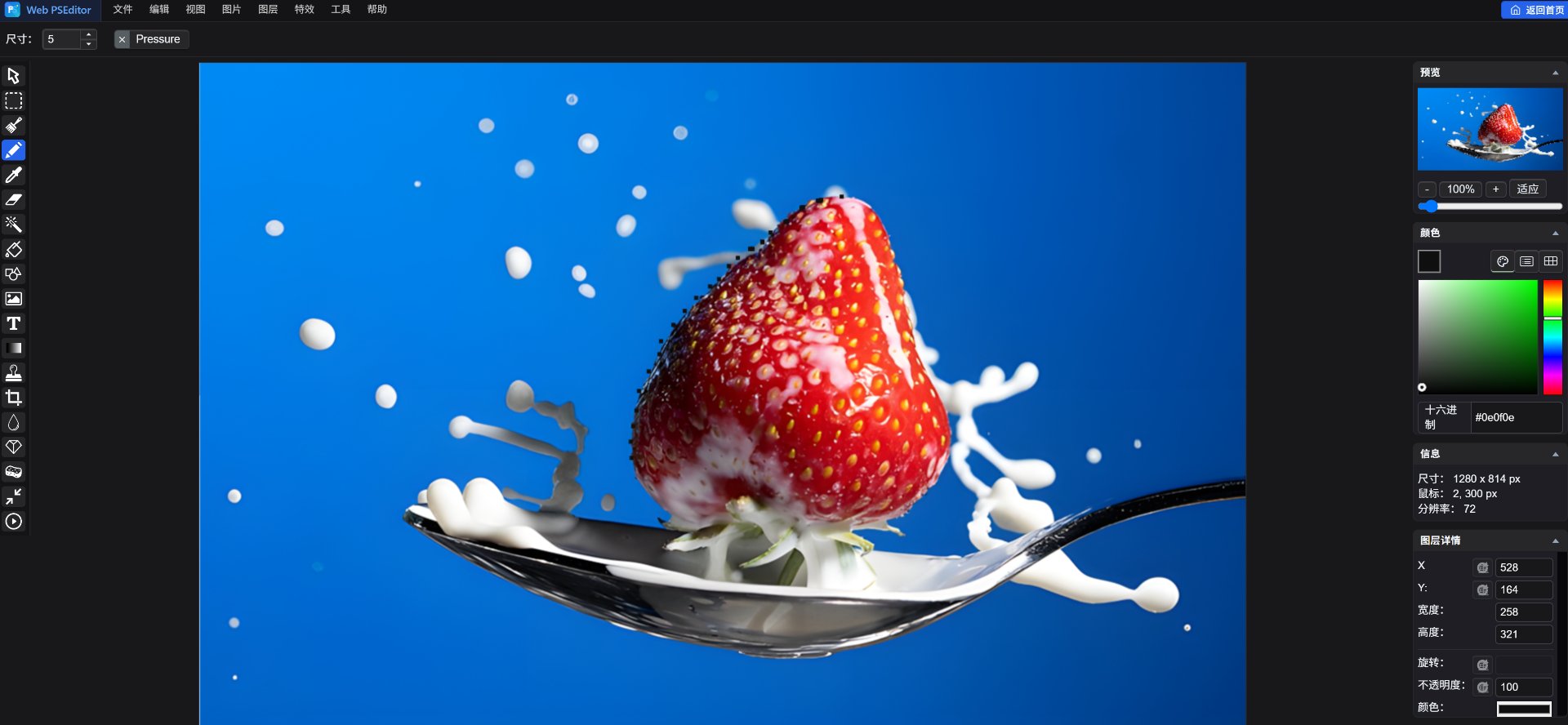
Web PSEditor Workspace · Click to Launch Free
Web PSEditor online photo editor workspace preview
Full Pro Menu · Layer / Filter / Effects
Pro Tools · Wand / Text / Shapes
Live Canvas · Edit Without Uploads
Layers Panel · Non-destructive Editing
100% Client-Side · Click to Try
Professional Image Editing with Pure Privacy

Lightweight graphics engine built on modern HTML5 Canvas and WebAssembly

Open & Edit PSD Files

Layers and blend modes stay fully editable — right in your browser.

Remove Backgrounds & Cut Out

Magic wand selection exports clean transparent PNGs in seconds.

Keep Every File 100% Private

Everything runs on your device — no uploads, no account, works offline.

Step-by-Step Photo Tutorials

Clear, hands-on tutorials to help you master core photo editing skills in your browser

View All 12 Tutorials

Frequently Asked Questions (FAQ)

Learn about Web PSEditor safety, compatibility, and browser capabilities

Does Web PSEditor upload my images to any server?
Never. All processing, layers, and filters run locally inside your browser Canvas. Zero server uploads, safeguarding your confidential images.
Can I use all editing features on mobile phones?
Mobile browsers can view tutorials and UI, but for precision selection, shortcuts, and multi-layer work, desktop browsers with keyboard and mouse are recommended.
Are there any watermarks or resolution limits upon export?
100% free with no watermarks and no resolution caps. Supports exporting lossless PNG, JPEG, and WEBP.
Which image formats are supported for import and editing?
Supports major raster formats including PNG (alpha transparency), JPEG, WEBP, GIF, BMP, SVG, and multi-layer JSON project files.
Are shortcuts consistent with standard professional image editors?
Standard shortcuts are closely aligned: Ctrl+Z (Undo), Ctrl+Y (Redo), Ctrl+C/V (Copy/Paste), Space+Drag (Pan canvas), and Scroll wheel (Zoom).

Ready to Start Your Image Creation?

Zero installation, zero wait time, 100% in-browser processing. Images never leave your computer.

Open Web PSEditor Now